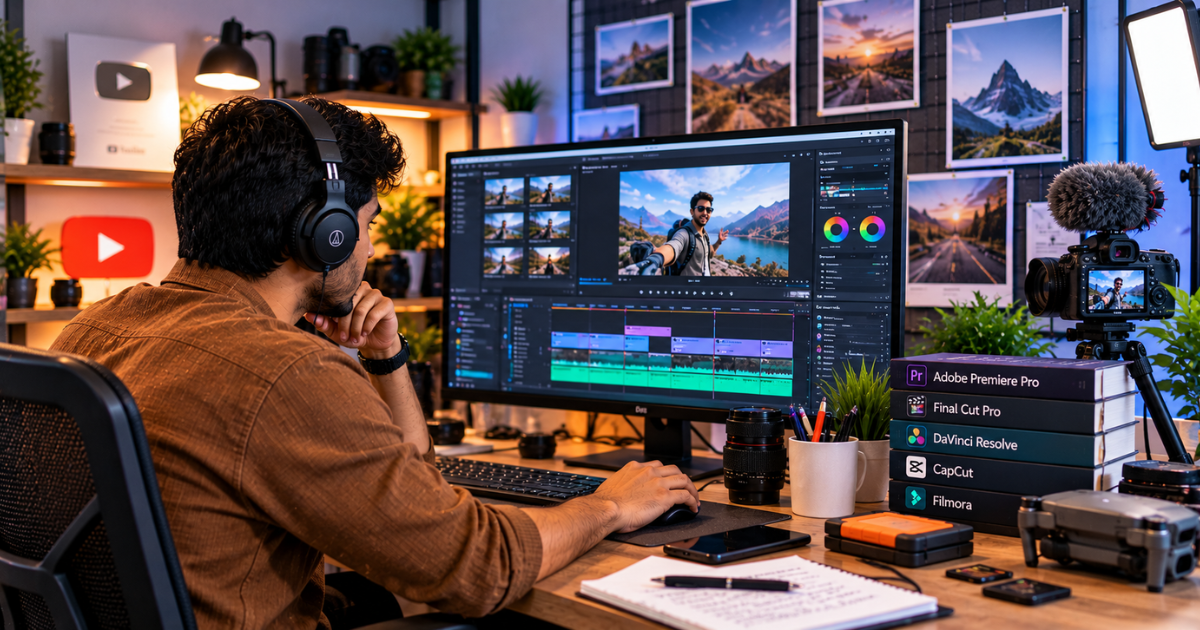
Every successful YouTube channel has one thing in common, and it isn't an expensive camera. It's good editing.
Editing is where raw footage becomes a story. It's where you cut the boring bits, tighten the pacing, add captions, drop in B-roll and keep viewers hooked long enough to finish the video. And since YouTube's algorithm pays close attention to watch time and audience retention, your editing quality directly affects how far your videos travel.
But with so many editing apps available, choosing one can be confusing. Should you start with a free tool? Is Premiere Pro worth the subscription? What about editing on your phone? In this guide, I'll break down the best video editing software for YouTube creators at every level, so you can pick the one that fits your skills, budget and content style.
How to Choose the Right Video Editor
Before looking at specific tools, think about these questions:
- What's your skill level? Beginners need simplicity. Experienced editors need power.
- What device do you use? Some editors are Mac-only, some work best on Windows, and some run in the browser.
- What's your budget? Free tools are surprisingly capable now. Paid tools offer more advanced features and support.
- What type of content do you make? Talking-head videos, vlogs, gaming, tutorials and cinematic travel videos all have different needs.
- How powerful is your computer? Professional editors need decent RAM and a good graphics card, especially for 4K footage.
Keep your answers in mind as you go through the list below.
1. DaVinci Resolve (Best Free Professional Editor)
DaVinci Resolve is arguably the best free video editor in the world. It's used in Hollywood for colour grading, yet the free version is available to anyone.
Why YouTubers love it:
- Professional editing, colour grading, audio mixing and visual effects in one app
- Industry-leading colour correction tools
- Fairlight audio page for cleaning and mixing sound
- A free version powerful enough for most creators
- Available on Windows, Mac and Linux
Best for: Creators who want professional results without paying a subscription and are willing to invest some time in learning.
Keep in mind: The interface can feel intimidating at first, and it needs a reasonably powerful computer. The paid Studio version adds advanced AI features and higher-performance options.
2. Adobe Premiere Pro (Industry Standard)
Premiere Pro has long been the go-to editor for professional YouTubers, agencies and production houses. It's flexible, reliable and deeply connected with other Adobe apps.
Why YouTubers love it:
- Powerful timeline editing for any type of content
- Seamless integration with After Effects, Photoshop and Audition
- AI features such as Enhance Speech, auto-reframe and text-based editing
- Huge library of templates, plugins and tutorials
Best for: Serious creators, editors who work with clients and anyone planning to edit professionally.
Keep in mind: It's subscription-based, which adds up over time. But if editing is your career, it's a widely recognised skill on any resume.
3. Final Cut Pro (Best for Mac Users)
If you're on a Mac, Final Cut Pro is a fantastic choice. It's optimised for Apple hardware, which means it runs incredibly smoothly, even with 4K footage on a MacBook.
Why YouTubers love it:
- Fast performance and smooth playback on Apple devices
- The magnetic timeline makes editing quick and clean
- One-time purchase rather than a monthly subscription
- Strong tools for colour, audio and titles
Best for: Mac users who want professional quality with excellent speed.
Keep in mind: It's Mac-only, so it's not an option for Windows users.
4. Wondershare Filmora (Best for Beginners)
Filmora sits nicely between basic and professional editors. It's easy to learn but still offers plenty of creative features that make videos look polished.
Why YouTubers love it:
- A clean, intuitive interface
- Built-in effects, transitions, titles and stock music
- AI tools for auto captions, background removal and audio cleanup
- Runs well on modest computers
Best for: Beginners and intermediate creators who want good-looking videos without a steep learning curve.
Keep in mind: The free version adds a watermark, so you'll need a paid plan for clean exports.
5. Descript (Best for Talking-Head and Podcast Videos)
Descript turns video editing into document editing. It transcribes your video, and you edit by deleting or moving words in the transcript. For creators who talk to camera, this is a massive time-saver.
Why YouTubers love it:
- Edit video by editing text
- Automatic filler-word removal
- Studio Sound for one-click audio cleanup
- Easy captions and clips for Shorts
Best for: Educators, commentators, podcasters and anyone making talking-head content.
Keep in mind: It's less suited to complex cinematic edits with lots of layers and effects.
6. iMovie and Clipchamp (Best Free Options for Absolute Beginners)
If you're making your very first videos, start simple. iMovie comes free on Mac and iPhone, and Clipchamp is built into Windows and runs in the browser.
Why they work:
- Very easy to learn
- Free to start
- Good enough for simple vlogs, tutorials and Shorts
Best for: Complete beginners testing the waters.
Keep in mind: You'll outgrow them as your channel grows, so plan to move to a more powerful editor later.
7. Mobile Editors (Best for Shorts and On-the-Go Editing)
Not every creator edits on a computer. Mobile editing apps like VN Video Editor, InShot, LumaFusion (on iPad and iPhone) and Adobe Premiere Rush let you edit directly on your phone or tablet.
Best for: YouTube Shorts, quick vlogs and creators who film and edit on the go.
Note for Indian creators: CapCut isn't officially available in India, so VN, InShot and similar apps are popular alternatives here.
Quick Comparison: Which Editor Should You Pick?
- Best free professional editor: DaVinci Resolve
- Industry standard for careers: Adobe Premiere Pro
- Best for Mac users: Final Cut Pro
- Best for beginners: Filmora
- Best for talking-head content: Descript
- Best for absolute beginners: iMovie or Clipchamp
- Best for Shorts on mobile: VN, InShot or LumaFusion
Pricing and features change regularly, so check the official websites for the latest plans before purchasing. You can also explore this list of essential digital marketing tools that pair well with your editing workflow.
Editing Tips That Improve YouTube Performance
The software matters, but how you edit matters more. Here are editing habits that consistently improve retention:
- Hook viewers in the first 10–15 seconds. Cut long intros. Get to the point fast.
- Use jump cuts to remove dead air. Tight pacing keeps attention.
- Add B-roll and visual changes every few seconds to maintain interest.
- Use on-screen text and captions. Many people watch without sound, especially on mobile.
- Keep audio clean and consistent. Bad audio drives viewers away faster than bad visuals.
- Add pattern interrupts: zooms, sound effects, graphics or a change of angle.
- End with a clear call to action and use end screens to guide viewers to your next video.
Don't Forget YouTube SEO
Great editing gets viewers to stay. YouTube SEO gets them to find you in the first place. Even the best-edited video won't grow if nobody discovers it.
Focus on:
- Keyword-rich titles that match what people actually search
- Detailed descriptions with relevant keywords and timestamps
- Custom thumbnails that are bold, clear and readable on a phone screen
- Chapters so viewers can jump to what they need
- Captions and transcripts that help YouTube understand your content
- Playlists that keep viewers watching your videos in sequence
Search optimisation works the same way across Google and YouTube, which is why many creators invest in professional SEO services to grow both their channel and website traffic together.
Where Video Content Is Heading
Video continues to dominate digital marketing. Short-form content, AI-assisted editing, multilingual dubbing and search-driven video discovery are all growing fast. Creators who learn to edit efficiently and adapt to these shifts will have a major advantage. For a wider look at what's coming, read about the digital marketing trends every business should watch this year.
Final Thoughts
There's no single "best" video editor for everyone. The best one is the editor you'll actually use consistently.
If you're just starting out, try DaVinci Resolve or Filmora. If you're on a Mac, Final Cut Pro is a joy to use. If you want an industry-recognised skill, learn Premiere Pro. And if you mostly talk to the camera, Descript could cut your editing time in half.
Pick one, stick with it for at least a few months and focus on improving your storytelling. Software skills come with practice. Great storytelling is what makes people subscribe.