
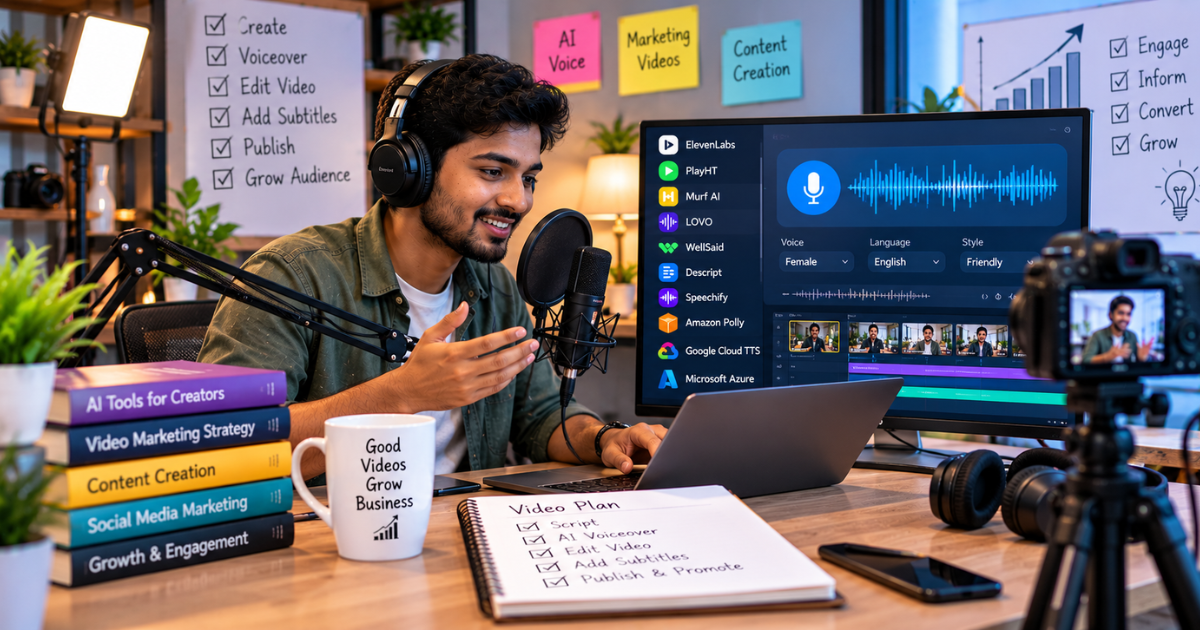
A few years ago, adding a professional voiceover to a marketing video meant booking a voice artist, renting studio time and waiting days for the final file. If the client wanted to change one line, you started the whole process again.
Today, you can type a script, pick a voice and have a studio-quality voiceover ready in minutes. AI voiceover tools have improved so much that many viewers genuinely can't tell the difference anymore, especially in short marketing videos, explainer clips and social media ads.
But not every tool is equally good. Some sound robotic. Some struggle with Indian names and accents. Some have confusing licensing rules for commercial use. In this guide, I'll walk you through the best AI voiceover tools for marketing videos, what each one does best, and how to choose the right one for your brand.
Why Marketers Are Switching to AI Voiceovers
Before we look at the tools, it's worth understanding why so many brands and creators have made the switch.
- Speed: You can produce a voiceover in minutes instead of days.
- Cost: For frequent video production, AI is far cheaper than hiring a voice artist every time.
- Easy edits: Change a word in the script and regenerate. No re-recording sessions.
- Consistency: The same voice across hundreds of videos keeps your brand recognisable.
- Multilingual reach: Many tools generate voiceovers in Hindi, Tamil, Telugu, Kannada and dozens of other languages, which is huge for Indian businesses targeting regional audiences.
- Scale: Personalised video ads, product demos and training videos become practical at volume.
That said, AI voices aren't perfect for everything. Emotional brand films and storytelling-heavy campaigns still often benefit from a human voice artist. AI shines for explainers, ads, tutorials, product walkthroughs and social content.
What to Look for in an AI Voiceover Tool
When I evaluate a voiceover tool for marketing work, I look at a handful of things:
- Naturalness: Does it sound like a real person, with natural pauses and intonation?
- Voice variety: Are there enough voices, ages, accents and styles to match your brand?
- Language support: Does it handle Indian English and regional languages well?
- Control: Can you adjust speed, pitch, emphasis and pauses?
- Commercial rights: Are you allowed to use the audio in paid ads and client work?
- Integrations: Does it work with your video editor or offer a built-in editor?
- Pricing model: Character limits, minutes per month and whether a free plan exists.
Keep these in mind as we go through the list.
1. ElevenLabs
ElevenLabs is widely considered one of the most realistic AI voice generators available. Its voices carry emotion and rhythm remarkably well, which makes it a favourite among YouTubers, ad creators and audiobook producers.
What it does well:
- Extremely natural, expressive voices
- Voice cloning, so you can create a consistent brand voice (with consent)
- Strong multilingual support, including Hindi and several other Indian languages
- Dubbing features that translate and re-voice existing videos
Best for: Brands that want the most human-sounding voiceovers and creators producing content in multiple languages.
Keep in mind: The most advanced features sit behind paid plans, and voice cloning should always be done ethically, with clear permission from the person whose voice you're using.
2. Murf AI
Murf AI is built with business users in mind. It combines a large voice library with a simple studio where you can line up your script, voice and video in one place.
What it does well:
- A clean, beginner-friendly interface
- Fine control over pitch, speed, pauses and emphasis
- Ability to sync voiceover to video or slides within the tool
- A good range of Indian English and Hindi voices
Best for: Marketing teams, educators and businesses creating explainer videos, product demos and presentations.
Keep in mind: Some voices sound more natural than others, so test a few before committing.
3. WellSaid Labs
WellSaid Labs focuses on high-quality, professional voices for corporate and enterprise use. Its voices are polished and consistent, which suits brands that need a refined, trustworthy tone.
What it does well:
- Very clean, broadcast-style voices
- Strong pronunciation controls for brand names and technical terms
- Team collaboration features
Best for: Corporate training, enterprise explainers and brands with strict quality standards.
Keep in mind: It's positioned more towards business teams, so it may be more than a solo creator needs.
4. Descript
Descript is primarily a video and podcast editor, but its AI voice features make it uniquely useful for marketers. You edit your video by editing the transcript, like a document. If you need to change a word you said, you can type the correction and generate it in your own cloned voice.
What it does well:
- Text-based video editing that feels like editing a Google Doc
- AI voices and voice cloning for quick fixes
- Built-in tools for captions, filler-word removal and audio cleanup
Best for: Creators and marketers who record their own videos and want to fix mistakes without re-recording.
Keep in mind: If you only want a standalone voiceover generator, a dedicated tool may feel simpler.
5. Speechify Studio
Speechify started as a text-to-speech reader, but its studio product now offers AI voiceovers, dubbing and video tools aimed at creators and businesses.
What it does well:
- Easy to use, with quick results
- A good selection of natural-sounding voices
- Useful dubbing and translation features
Best for: Small teams and creators who want quick voiceovers without a learning curve.
6. Synthesia
Synthesia goes a step beyond voiceovers. It creates entire videos with AI avatars that speak your script on screen. If you need a presenter-style video but don't want to film anyone, this is a strong option.
What it does well:
- Realistic AI presenters in many languages
- Templates for training, onboarding and marketing videos
- No camera, studio or actor required
Best for: Training videos, internal communications, product explainers and multilingual marketing content.
Keep in mind: Avatar videos work better for informational content than for emotional brand storytelling.
7. Canva and Built-in Editor Voices
If you already create videos in Canva or browser tools like Clipchamp, check their built-in text-to-speech options. They're not as advanced as ElevenLabs, but they're convenient for quick social media videos and simple ads.
Best for: Small businesses and beginners who want everything inside one familiar tool.
Quick Comparison: Which Tool Should You Choose?
Here's a simple way to decide:
- Most realistic voices: ElevenLabs
- Easiest for business explainers: Murf AI
- Enterprise-grade polish: WellSaid Labs
- Edit your own voice and video together: Descript
- Quick and simple: Speechify Studio or built-in editor voices
- Presenter-style videos without filming: Synthesia
Most of these tools offer free trials or free plans. Pricing and features change often, so always check the latest plan details on each tool's official website before you subscribe.
Tips for Getting Natural-Sounding AI Voiceovers
Even the best tool will sound robotic if your script is written badly. Here's how to make AI voiceovers sound genuinely human:
- Write for the ear, not the eye. Use short sentences and simple words. Read your script aloud before generating.
- Use punctuation as direction. Commas create small pauses. Full stops create longer ones. Ellipses can add a thoughtful beat.
- Spell out tricky words phonetically. If the tool mispronounces a brand name or an Indian city, adjust the spelling or use the pronunciation editor.
- Match the voice to your audience. A youthful, energetic voice suits a fashion brand. A calm, warm voice suits healthcare or finance.
- Add background music carefully. Keep it low so the voice stays clear.
- Clean up and level the audio. Run the final mix through a cleanup or loudness tool so it sounds consistent across platforms.
Writing better scripts for AI tools is a skill in itself. Learning why prompt engineering skills matter will help you get far better results, not just from voice tools but from every AI platform you use.
Ethical and Legal Considerations
AI voices are powerful, so a few responsible-use rules matter:
- Never clone someone's voice without written consent.
- Check commercial licensing. Free plans sometimes restrict commercial use or require attribution.
- Be transparent where appropriate. Some platforms and regions are introducing disclosure rules for AI-generated content.
- Avoid misleading content. Don't make it sound like a real person endorsed something they didn't.
Following these rules protects your brand's reputation and keeps you on the right side of platform policies.
How AI Voiceovers Fit into Your Marketing Strategy
AI voiceovers aren't just a time-saver. Used well, they unlock content you might never have produced otherwise: regional-language ads for different states, personalised video messages, faster A/B testing of video ad scripts and consistent tutorial libraries.
If you'd like help building AI into your content and advertising workflow, explore these AI marketing services covering AI content, ads and chatbots. And if you'd rather learn to do it yourself, a practical AI and automation course for marketers covers the tools and workflows in a hands-on way.
Final Thoughts
AI voiceover tools have moved from "interesting experiment" to "everyday marketing tool". For most brands, the right choice comes down to how natural the voice needs to sound, which languages you need and how much control you want.
Start with a free trial of two or three tools. Use the same short script in each, listen carefully and pick the one that sounds most like your brand. Then focus on writing great scripts, because in the end, a great voice can't save a weak message, but a great message delivered by the right voice can do wonders for your marketing.